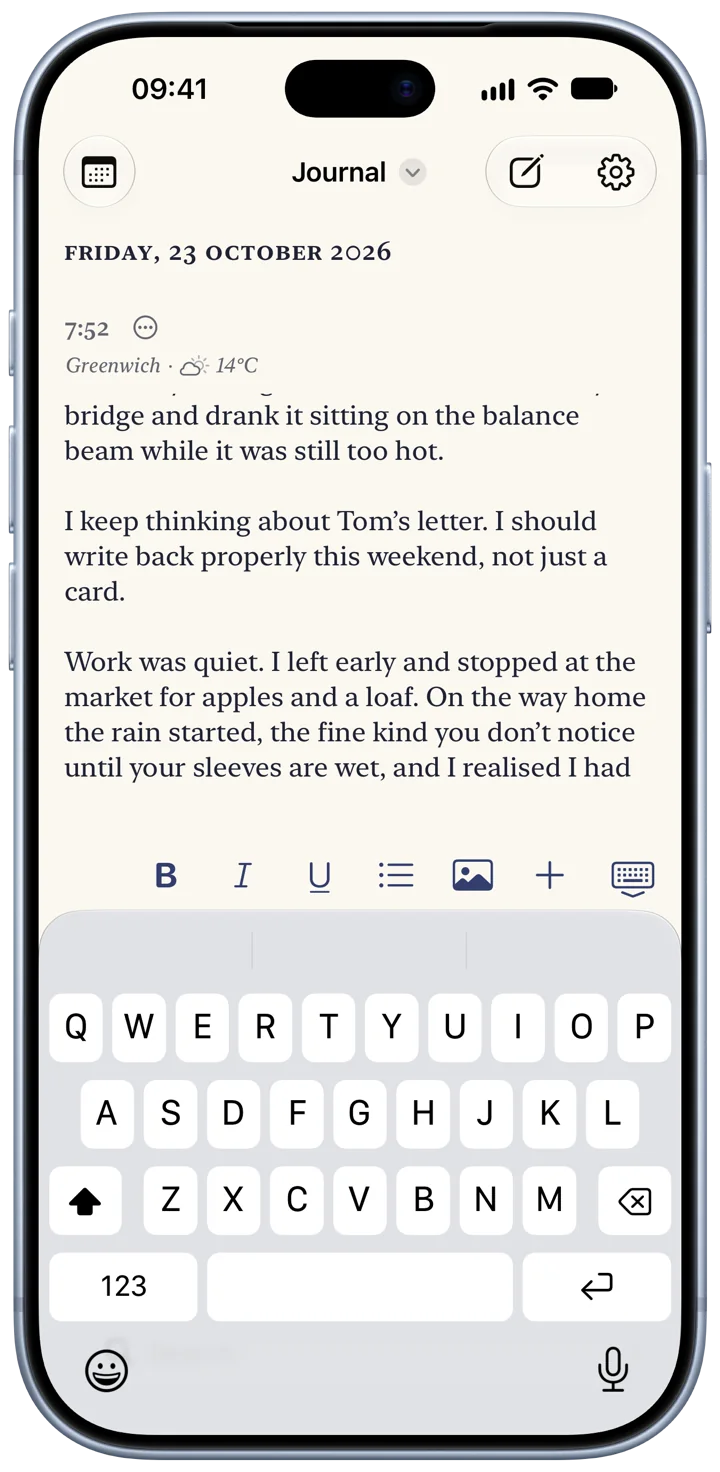
Your phone folds. So does your journal. Bifolio is a private, encrypted journal app for the iPhone Duo and any iPhone with iOS 27.1.
A private journal, bound like a book. Folded, it’s a pocket notebook. Open, your days sit on one side and the page you’re writing on the other.
Coming 23 October, for iPhone Duo and every iPhone on iOS 27.1.
Only you can read it.
What you write, and every photo, video, recording and drawing with it, is encrypted on your iPhone before it syncs to your iCloud. There is no account to make, and nothing of yours ever reaches us.
- Sealed on your iPhone
- Each entry, and everything in it, is encrypted before it leaves the phone. Your iCloud keeps the sealed copy, and Settings shows whether it’s up to date.
- Keys you keep
- The keys travel between your devices in iCloud Keychain. An optional recovery key of your own lets you back in if they can’t.
- Nothing to sign in to
- No Bifolio account, no server of ours, no analytics and no ads. The App Store privacy label reads Data Not Collected.
- Plain about plain files
- Exports and backups are ordinary files, not encrypted, and Bifolio says so wherever it makes one.
Read it back like a book.
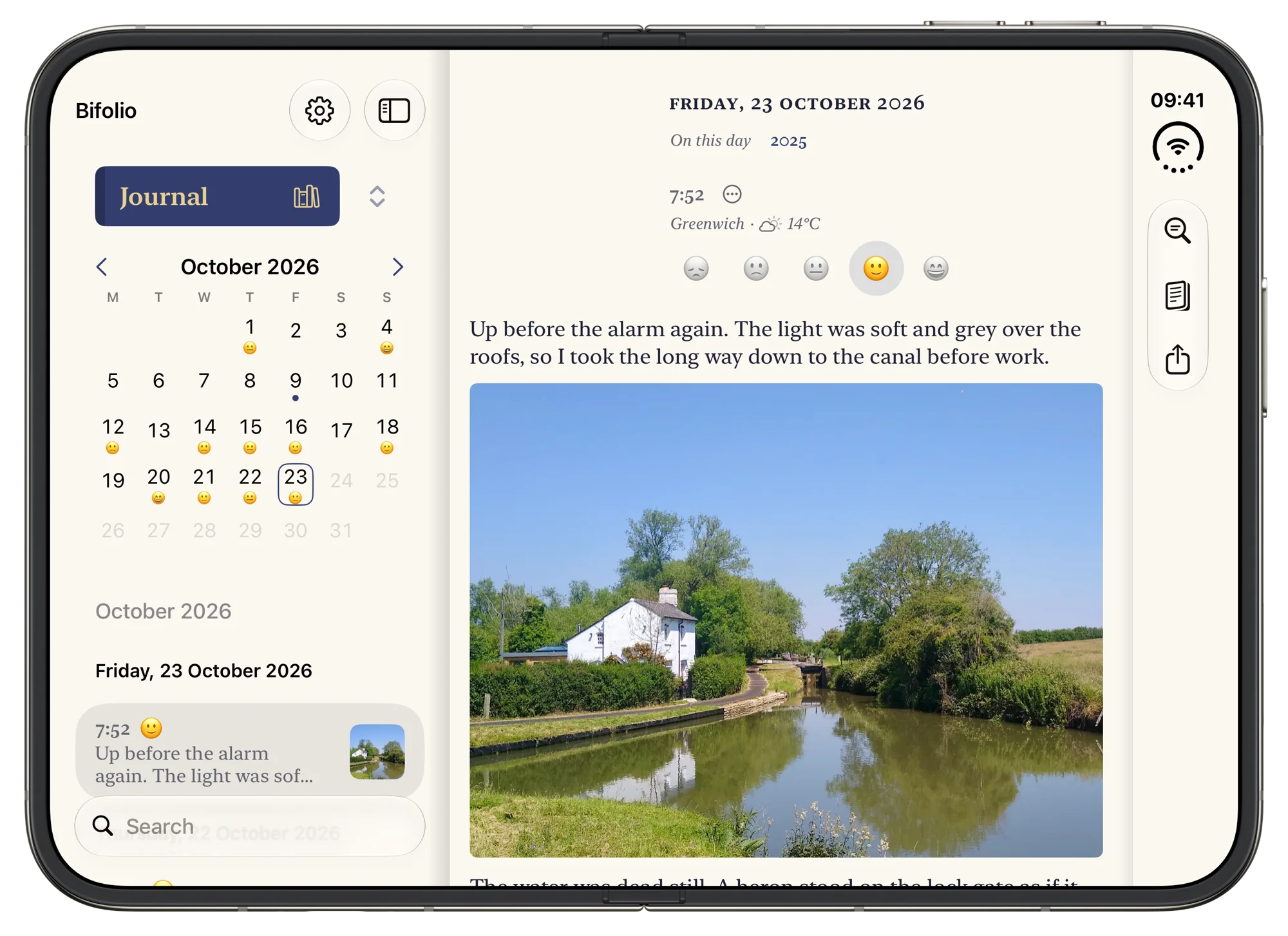
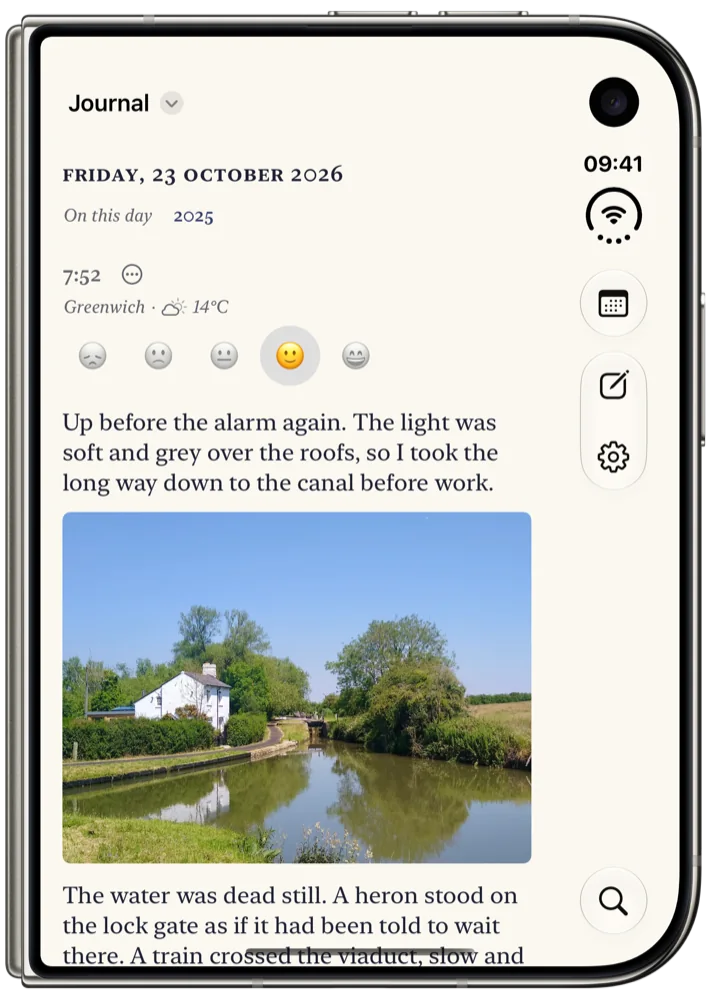
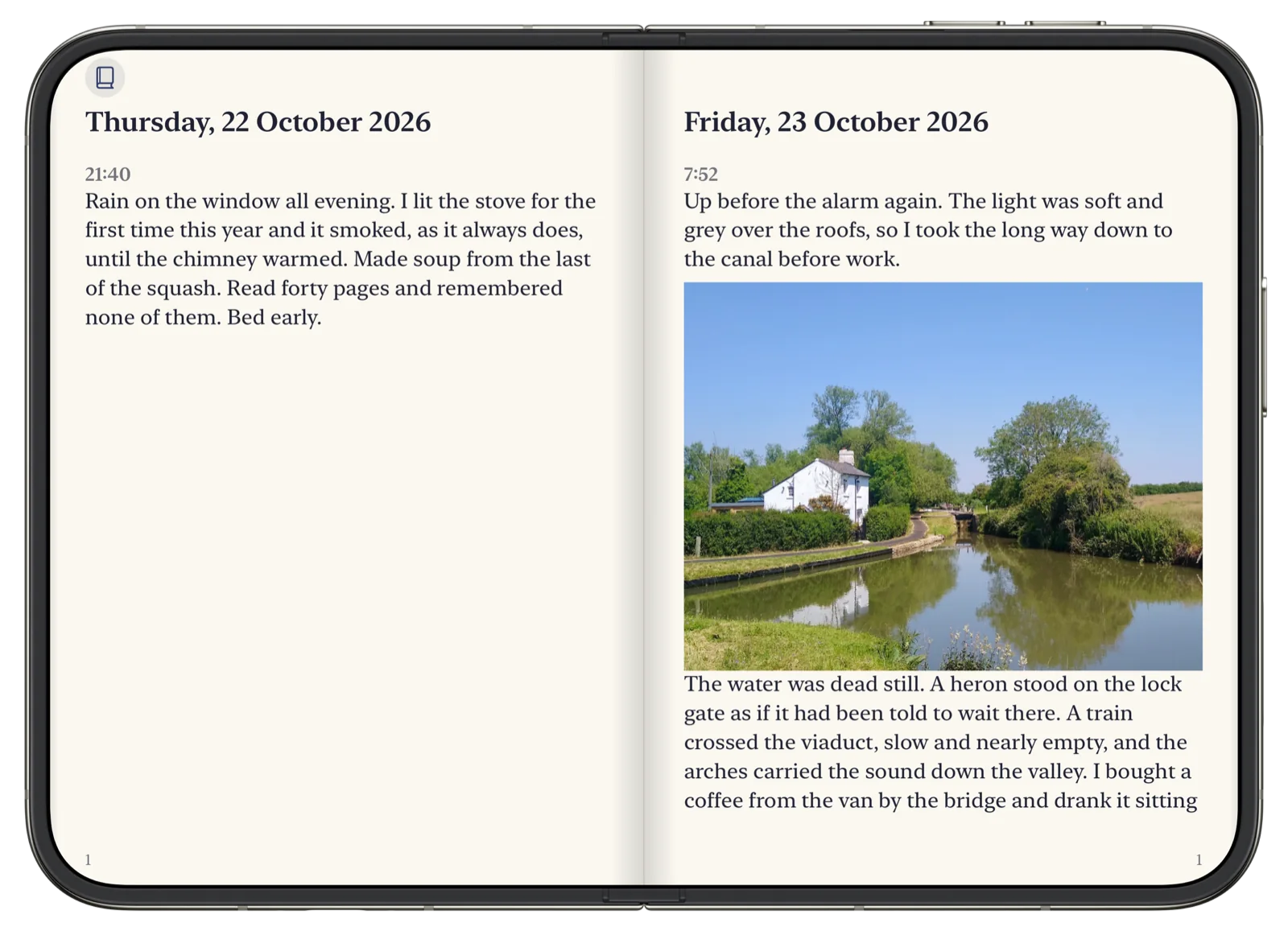
On iPhone Duo, Bifolio is a pocket journal when it’s folded, for the quick note. Unfolded, it becomes a spread: your days on one side, the page you are writing on the other.
Read your journal as a book and the crease becomes its spine, with two facing pages that turn like paper, one day after another. On every other iPhone, it’s the same journal in a single, unhurried column.
Each journal, its own book.
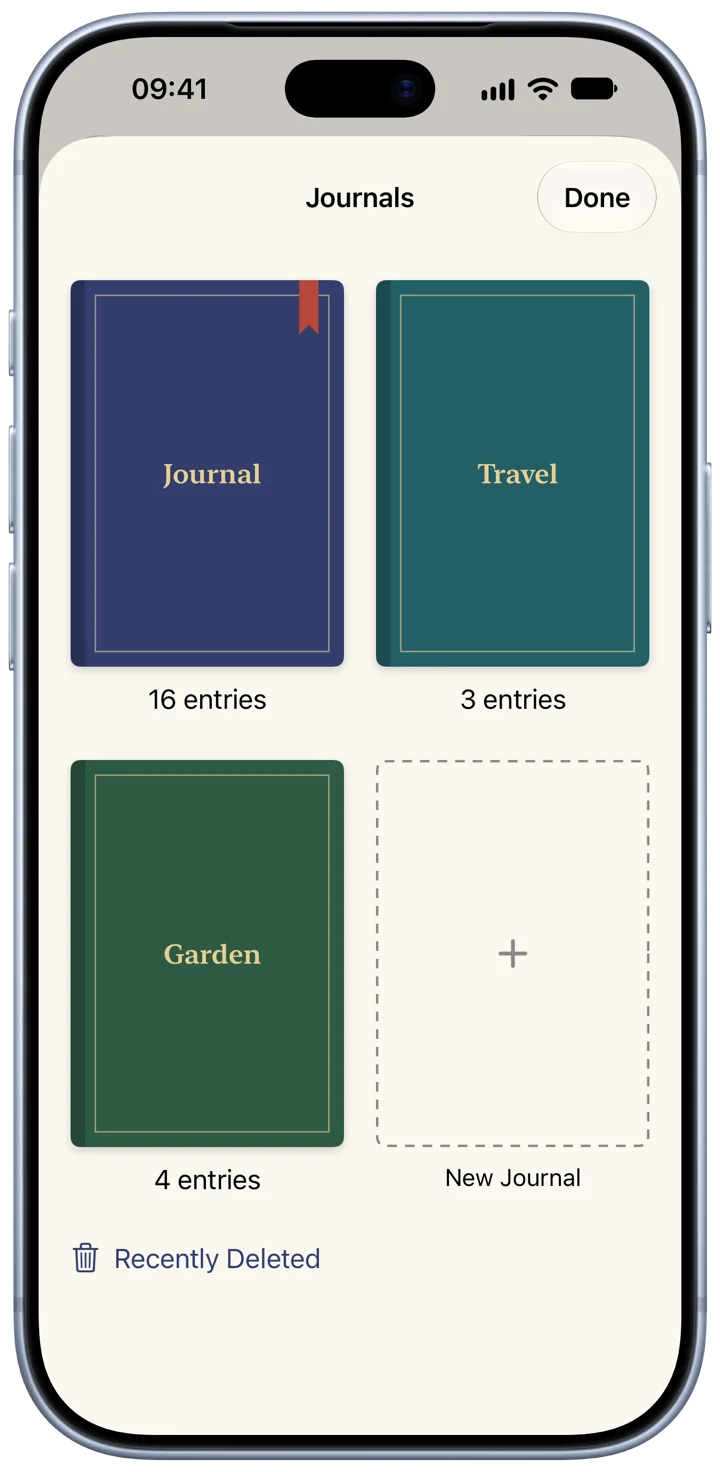
Keep as many journals as you like, each a book on your shelf in its own cloth: one for the everyday, one for a trip, one for the garden.
An entry’s own menu moves it to another journal, or shares it.
Say it, or sketch it.
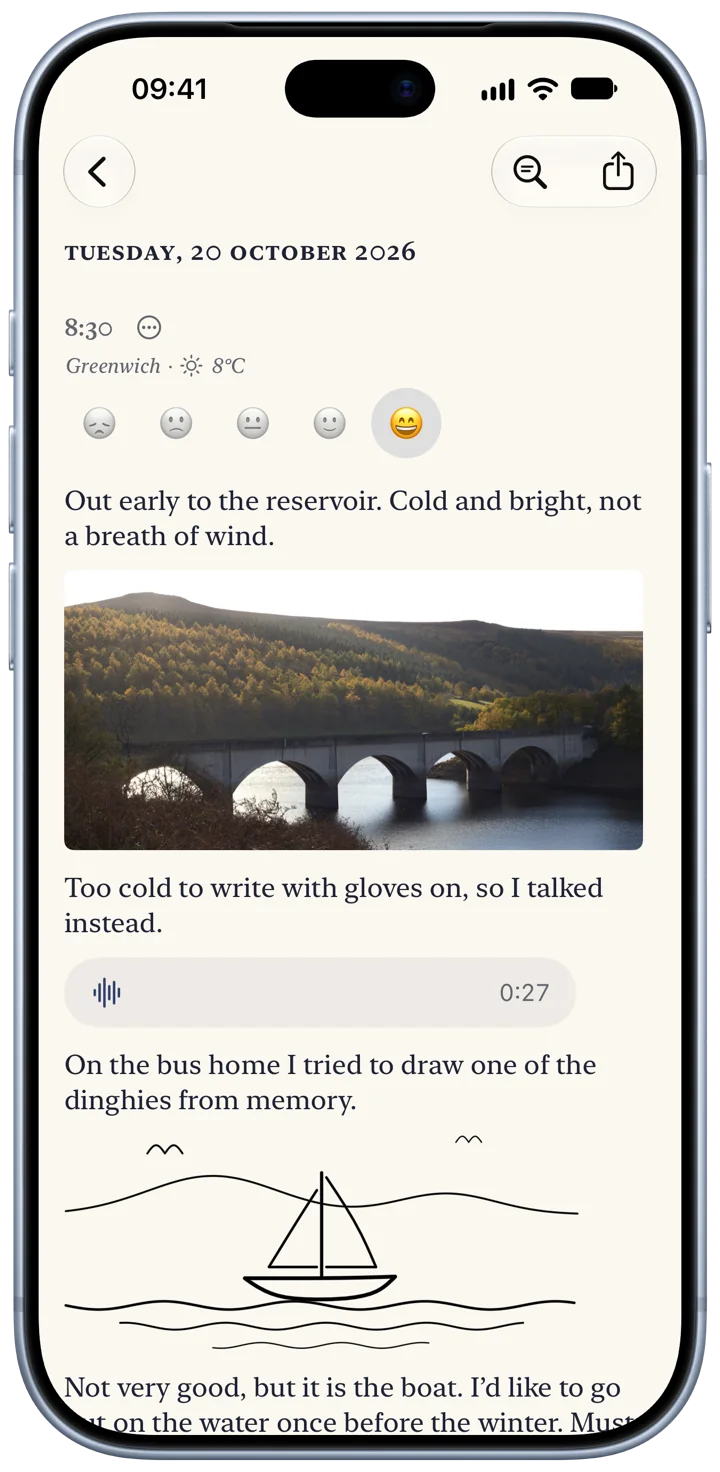
Write as many entries a day as you want. Add photos, several at once or straight from the camera, and video. Record your voice, transcribed on your iPhone where your language is supported. Draw, or write by hand.
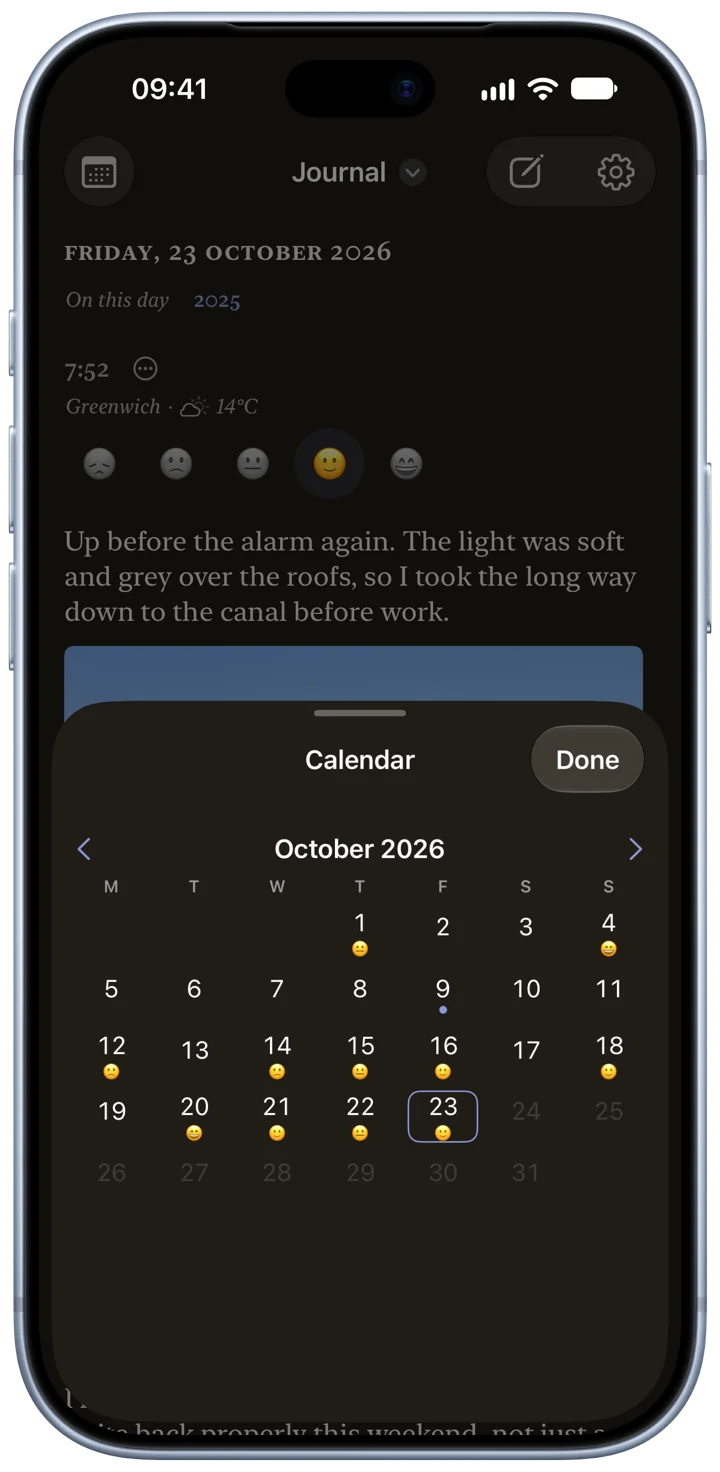
Mark how you felt, and let Bifolio note where you were and the weather. There’s no cap on photos or on how long a page runs.
One word finds the day.
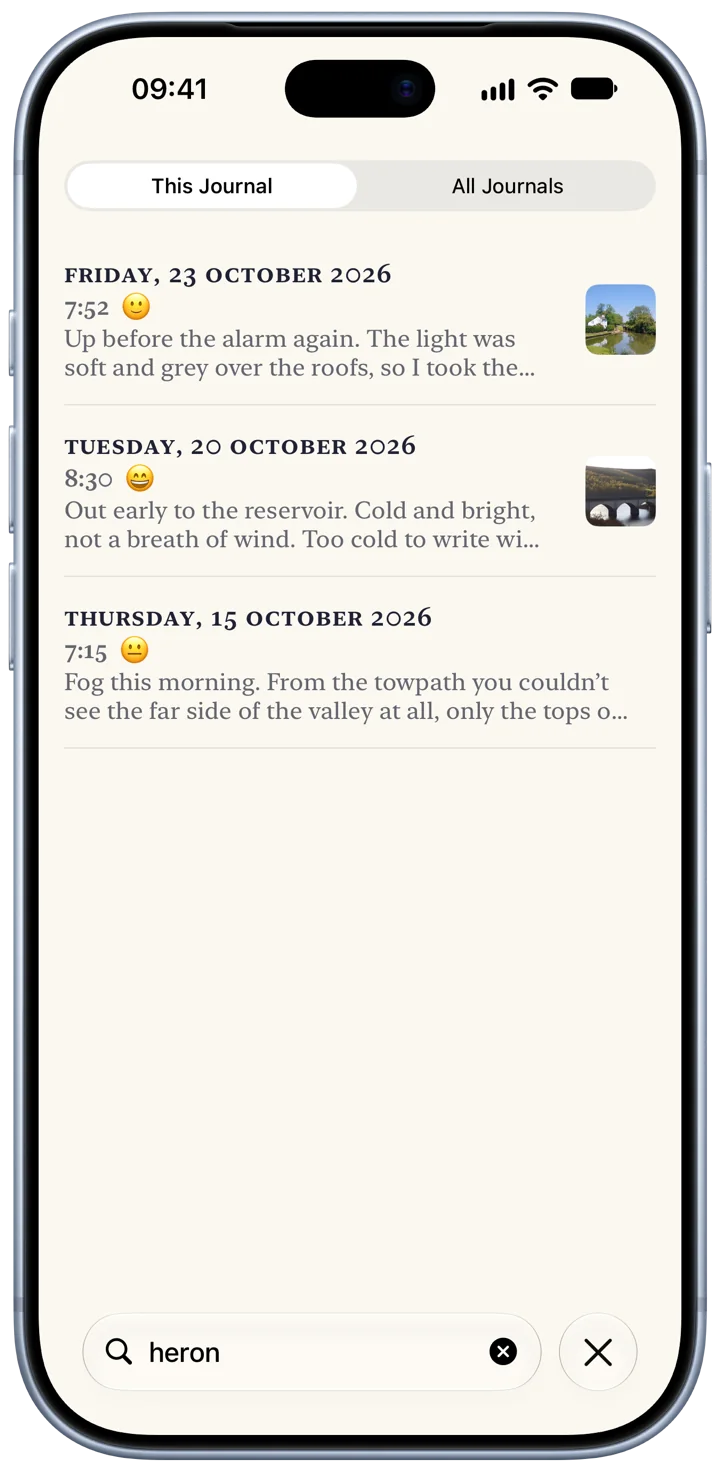
Search everything you have written, even what you said in your recordings. The calendar marks the days you wrote, and On This Day brings back the same date in earlier years.
The rest of the book.
Your words stay yours
Bifolio never writes your entries. If a blank page is hard to start, it offers a question. Where Apple Intelligence is available, it can suggest questions drawn from your recent entries, worked out on your iPhone. Journaling Suggestions can start an entry from a moment your iPhone remembers, and Apple’s Writing Tools are there when you want them. One switch in Settings turns all of it off.
Take it all with you
Export everything, one journal or one day as a PDF, or as a ZIP of Markdown files with the photos, video, audio and drawings beside them. Bring journals in from Day One, Apple Journal or an earlier Bifolio export, and undo an import that wasn’t what you wanted. A weekly backup can keep copies in a folder you choose.
Quiet by design
No streaks, no badges, no congratulations. A few lines is a full entry, and so is a single photograph. An optional daily reminder stays quiet on days you have already written.
Around your iPhone
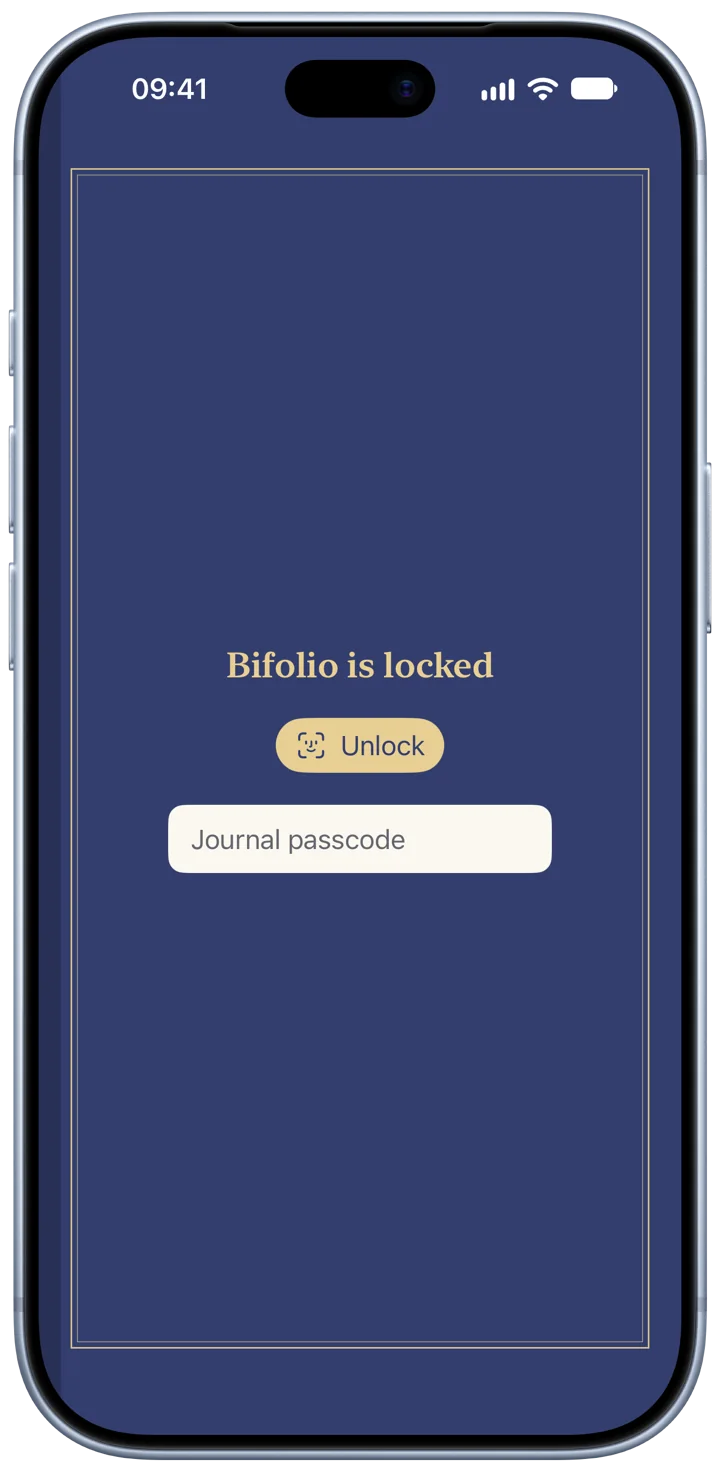
Widgets for today, On This Day and the month, and a New Entry control for Control Centre. Siri and Shortcuts can start an entry, open today, record audio or search. After several wrong passcodes the lock makes you wait, longer each time, and while it’s on, widgets never show what you wrote.
Before you write anything down.
Does Bifolio work on iPhones that don’t fold?
Yes. Bifolio runs on any iPhone with iOS 27.1 or later — iPhone 11 and iPhone SE (2nd generation) onwards. On the iPhone Duo it opens into a two-page spread; on every other iPhone it is the same journal in a single column.
Who can read my journal?
Only you. Everything you write, and every photo, video, recording and drawing with it, is encrypted on your iPhone before it syncs to the private iCloud database of your own Apple Account. The keys travel between your devices in iCloud Keychain. There is no Bifolio account and no server of ours, so your words never reach us, and the app’s App Store privacy label reads Data Not Collected.
What happens when I move to a new iPhone?
Sign in with the same Apple Account and your journals arrive through iCloud, while their keys arrive through iCloud Keychain. An entry whose key hasn’t arrived yet waits, read-only, until it does. If iCloud Keychain can’t bring your keys, the recovery key you can create in Settings ▸ Privacy & Encryption opens your journal on the new iPhone.
Is Bifolio free?
Yes, with no account, no in-app purchases, no ads, and no cap on photos or on how long a page runs. If Bifolio ever charges, it will be a one-time purchase, never a subscription, and nothing you already have will move behind a paywall. Leaving is always free: export works forever.
Can I keep more than one journal?
As many as you like. Each journal is a book on your shelf in one of eight cloths, and you can write as many entries a day as you want in any of them. An entry’s own menu moves it to another journal. A deleted journal waits in Recently Deleted, with its entries, for 30 days.
What can an entry hold?
Words, photos (several at once, or straight from the camera), video up to 10 minutes, audio up to 60 minutes, and drawings or handwriting. Recordings are transcribed on your iPhone where your language is supported, and search finds what you said. An entry can also hold how you felt and, if you switch it on, the town you wrote in and the weather.
Can I bring my old journal with me?
Yes, from Day One, Apple Journal or an earlier Bifolio export, in Settings ▸ Import. Entries land on the days they were written, and importing the same file twice changes nothing. If an import isn’t what you wanted, Undo under Recent imports moves exactly those entries to Recently Deleted.
Can I get my writing back out?
Any day, forever. Export everything, one journal or one day as a PDF, or as a ZIP of Markdown files — one plain-text file per day, with your photos, video, audio and drawings beside them. A weekly backup can keep the newest three copies in a folder you choose. Exports and backups are plain files, not encrypted, and Bifolio says so wherever it makes one.
Does Bifolio use AI?
Never to write for you. An empty page can offer a question to start from, from 36 of Bifolio’s own. Where Apple Intelligence is available, it can suggest questions drawn from your recent entries, worked out on your iPhone and never sent anywhere. Journaling Suggestions can start an entry from a moment your iPhone remembers, and Apple’s Writing Tools are there when you want them, under Apple’s own privacy terms. One switch in Settings turns all of it off.
How is it locked?
However you choose, and only if you want it. Require Face ID or Touch ID, with your iPhone’s passcode as the fallback, or set a journal passcode of its own. While the lock is on, Bifolio is covered in the app switcher and widgets show no entry text. After five wrong journal passcodes it makes you wait — 1, 5, 15, then 60 minutes. A journal passcode can’t be recovered, by design.
Are there streaks or reminders?
No streaks, no badges, no congratulations — a few lines is a full entry, and so is a single photograph. There is one optional daily reminder, at a time you choose. It arrives without a sound, and stays quiet on any day you have already written.
Does Bifolio work offline?
Yes. Writing, reading, search and the calendar all work with no connection, and iCloud catches up when you are back online. The one thing that needs a connection is noting place and weather, which is off until you switch it on.
What does “Bifolio” mean?
A bifolio is a bookbinder’s term: one sheet folded once to make two leaves, the unit a book is sewn from. The iPhone Duo opens the same way, and so does the journal — unfolded, it becomes a spread, with your days on one side and the page you are writing on the other.
Is there an iPad or Mac version?
No. Bifolio 1.0 is made for iPhone only, and its layout is built around the iPhone Duo’s fold.
When does Bifolio launch?
On 23 October 2026, the day the iPhone Duo arrives. It needs iOS 27.1 or later. Leave your email on bifolio.app and you will get one email on launch day, and nothing else.
Write the first page.
Bifolio arrives on the App Store on 23 October, the day iPhone Duo does. Free, for any iPhone with iOS 27.1.